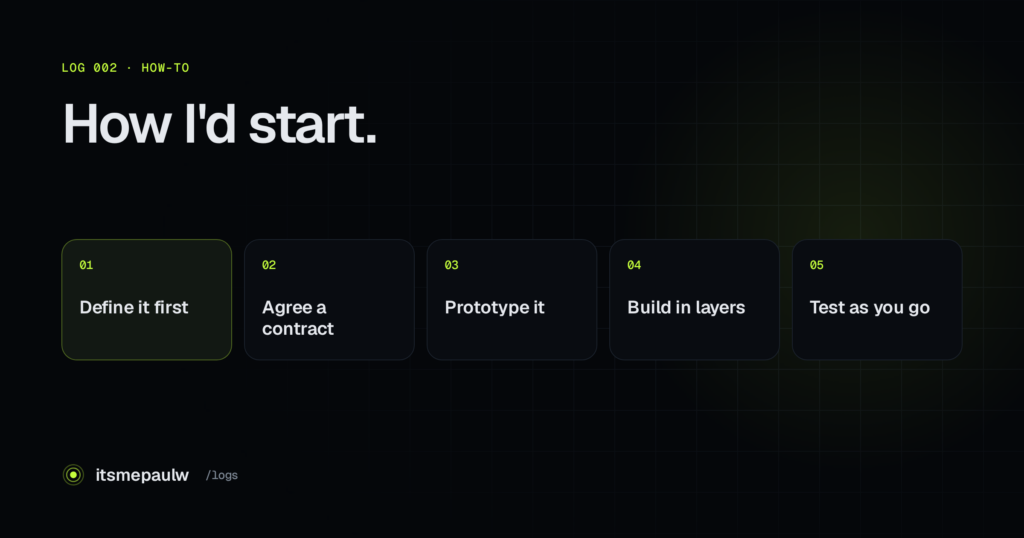
In the last log I said you can probably build it yourself. This one is the how: five steps I take on every build, then where I’d start if I were you.
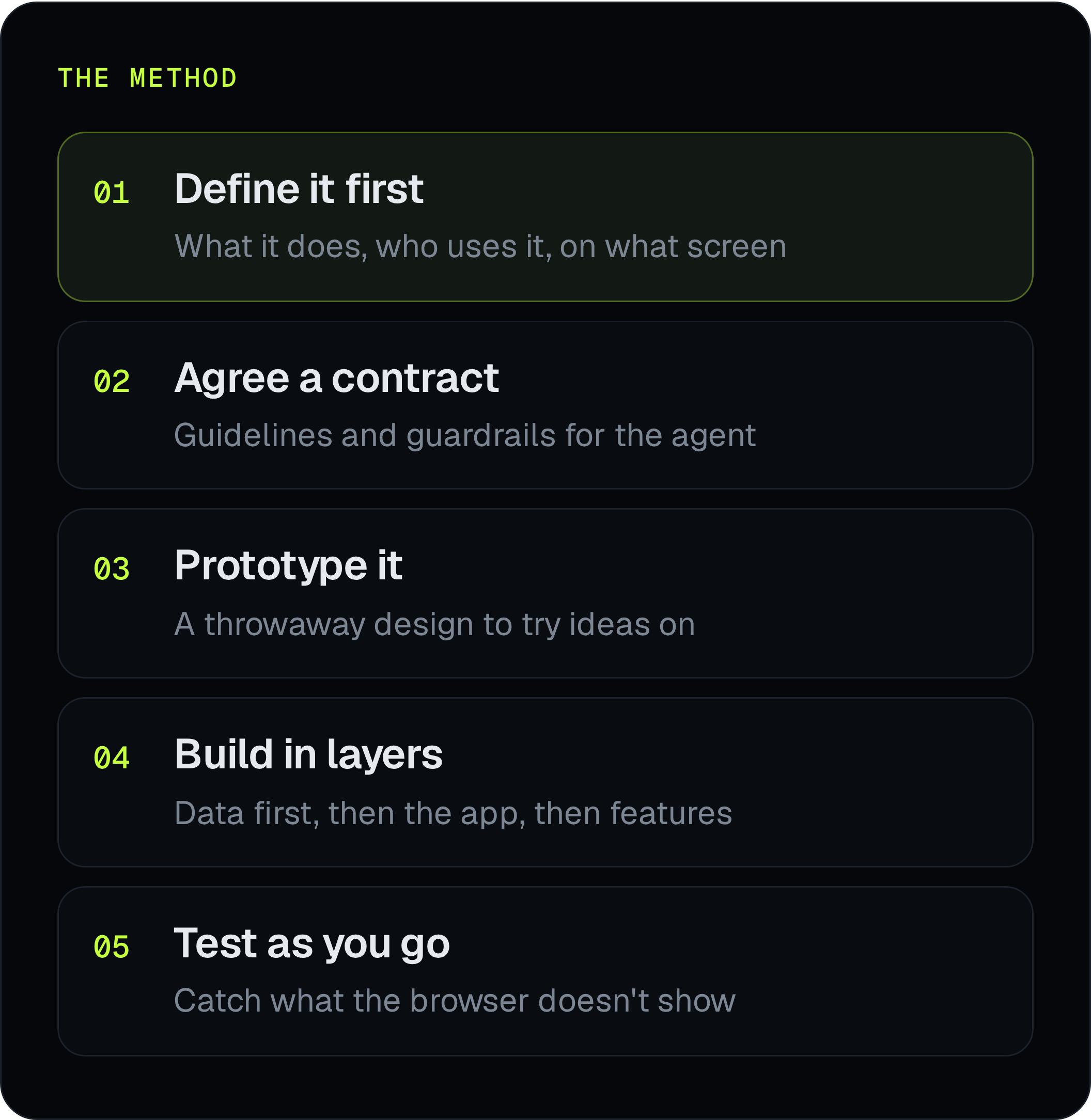
Define it first
The best results I’ve had, and what has become my method, start with defining exactly what I want to build. It might seem obvious, but the devil is in the detail. There’s a huge difference between “Build a CRM” and “Build a CRM that has the following features…”.
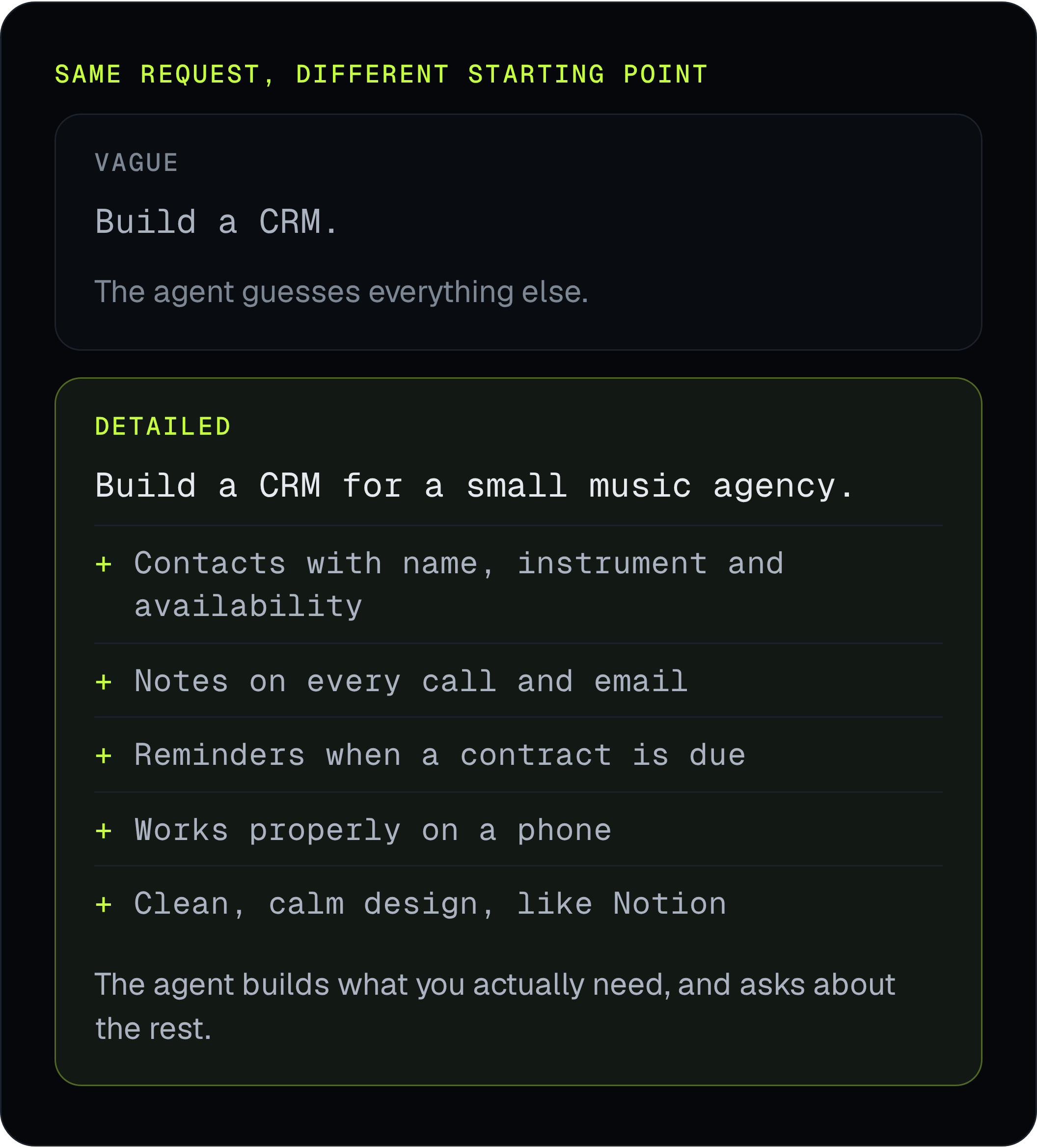
One important tip: your AI can help you work out exactly what you want. Depending on which one you use, there may be built-in processes for this (often called skills), or you can add freely available skills that help you define and refine your idea. You could start with:
I want to build a task-tracking app for me and my team to use. Tasks should have a title, description, priority and an optional deadline. The design should be clean and look similar to Notion. I'm not sure of all the features I might need, so can we brainstorm the idea together?Swap Notion for any tool whose look you like. The more detail you give about what you already know, the better your starting point. Images, screenshots and links help too, and I highly recommend them.
Agree a contract
Next, I make a contract with the AI agent, so guidelines and guardrails are in place. Recent models need fewer strict dos and don’ts, but it’s still important to say what you do and don’t want in features, functionality and design.
One of my top guardrails: I build with shadcn/ui, a library of ready-made interface pieces (buttons, forms, menus), and I want the existing ones used first. So I include:
Use components where they exist, and if not, tell me what you intend to do.Spending hours working out why some elements look different, or worse, don’t work, is truly frustrating!
Prototype it
My favourite step is prototyping: getting hands-on with how things will look and work. There are a number of ways to do it, but a throwaway HTML design is often an excellent start. You can try the ideas out and feed back things like:
For the deadline time, I want to show the timezone too. Please add it.Build in layers
Next comes structure. Making a cake isn’t about chucking all the ingredients into a bowl at once and blending them together, and apps and websites need layers too. A specification with a clear structure is one of the best tips I can give.
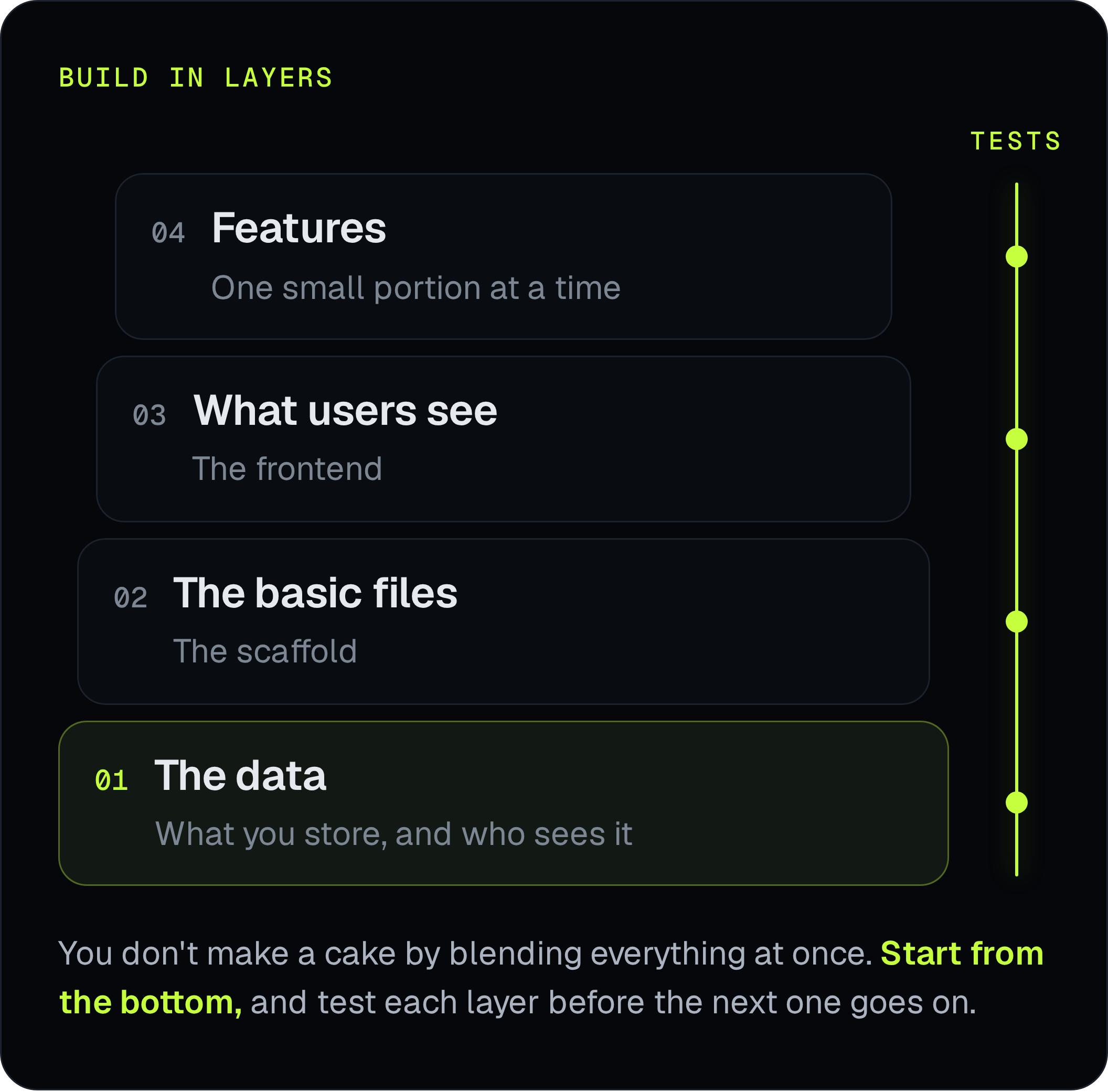
You can learn the right order by building lots of projects, but honestly, I’d have a long chat with your AI agent about the best way to build yours. If your app has a database, getting the data structure clear is often an excellent first step. Then comes the scaffold (the basic files) of the frontend, the part you and your users interact with. A lot depends on the details of your project, and how agents suggest frameworks and backends is a log of its own.
Test as you go
Getting your agent to build tests is key to knowing everything still works as the app grows. It’s easy to assume that if things work in the browser, there are no problems. That’s quite deceptive, and I learnt it first-hand on an early trial project: everything seemed to work, but all kinds of errors were happening where I couldn’t see them. With tests in place, my agent could pick up errors and issues (security ones included) and fix them before adding the next layer.
Where to start
The tool I use
I’ve tried most of the products out there. I currently use T3 Code because it works everywhere: my Mac, my Linux machine and my phone. It also lets me manage pull requests (proposed changes to the code, ready to review) without leaving the app.
Skills
I’ve tried most of the big, influential skill packages. They’re fantastic starting points, but read what’s in them, both to understand what they do and for security. Their creators say the same. Matt Pocock’s suite of skills is really good, but on my existing projects some are overkill, so try them out and tweak them to fit your projects and the way you work.
YouTube channels
I love learning from others, and some YouTube channels are brilliant for understanding the what and how of the latest ideas and tools. The ones I reach for regularly:
- Nick Saraev: a great voice of reason
- Theo Browne: a lot of useful content
- Matt Pocock: the industry lead on skills for AI
These are my trusted sources, but as with anything, use what they share as a starting point for your own understanding.
Courses
Alongside YouTube, these all-round Udemy courses have been really useful:
- The Complete JavaScript Course: From Zero to Expert! by Jonas Schmedtmann
- The Complete Full-Stack Web Development Bootcamp by Dr Angela Yu
- Tailwind CSS v4: Beginner to Pro by Tom Phillips
Your first prompt
For most people, the main barrier is getting started: trying to write the perfect prompt. Rest assured, the frontier models (the latest and best) are very good at helping you out. Always begin with a conversation in plain English to shape your ideas. A great first step is to ask an agent to show you what it can do:
I want to build a simple web app that needs no database and shows how good, quick and robust you are at creating them. I have no specific ideas, so give me a list of five I can choose from.Add a screenshot of a visual style you like, too. If you’ve never done this before, you’ll be amazed.
Ideas to try
- A simple to-do list
- A copy-and-paste report writer for teachers
- A landing page for an imaginary product (or a real one, if you have it!)
Pick one, have the conversation, and see what comes back. Then tell me on X what you built.